Starting a new page on Fandom takes only a couple of clicks and is an important part of contributing to a community. This page will walk you through the basics.
Instructions
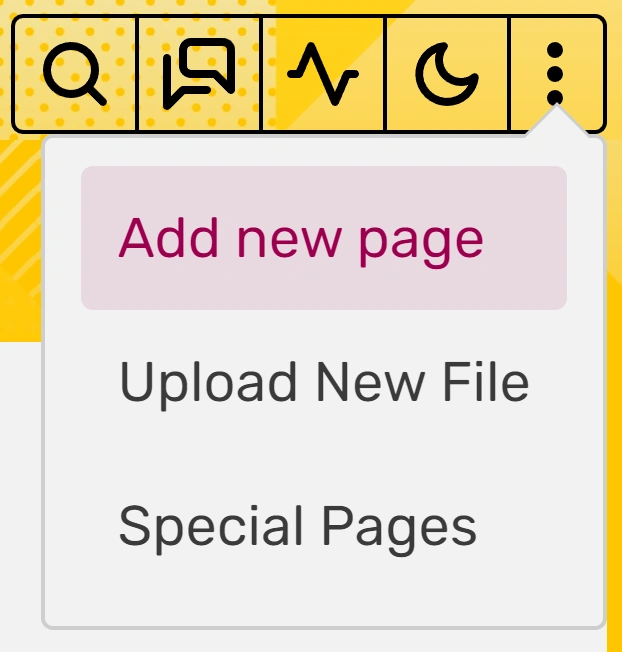
- Click on the Add new page button in the header shortcuts at the top right of the page. Note that this option is only available to logged-in users, either as an option in the dropdown menu by hovering over the three vertical dots, or as an empty page icon when visiting a community that does not have Discussions enabled.
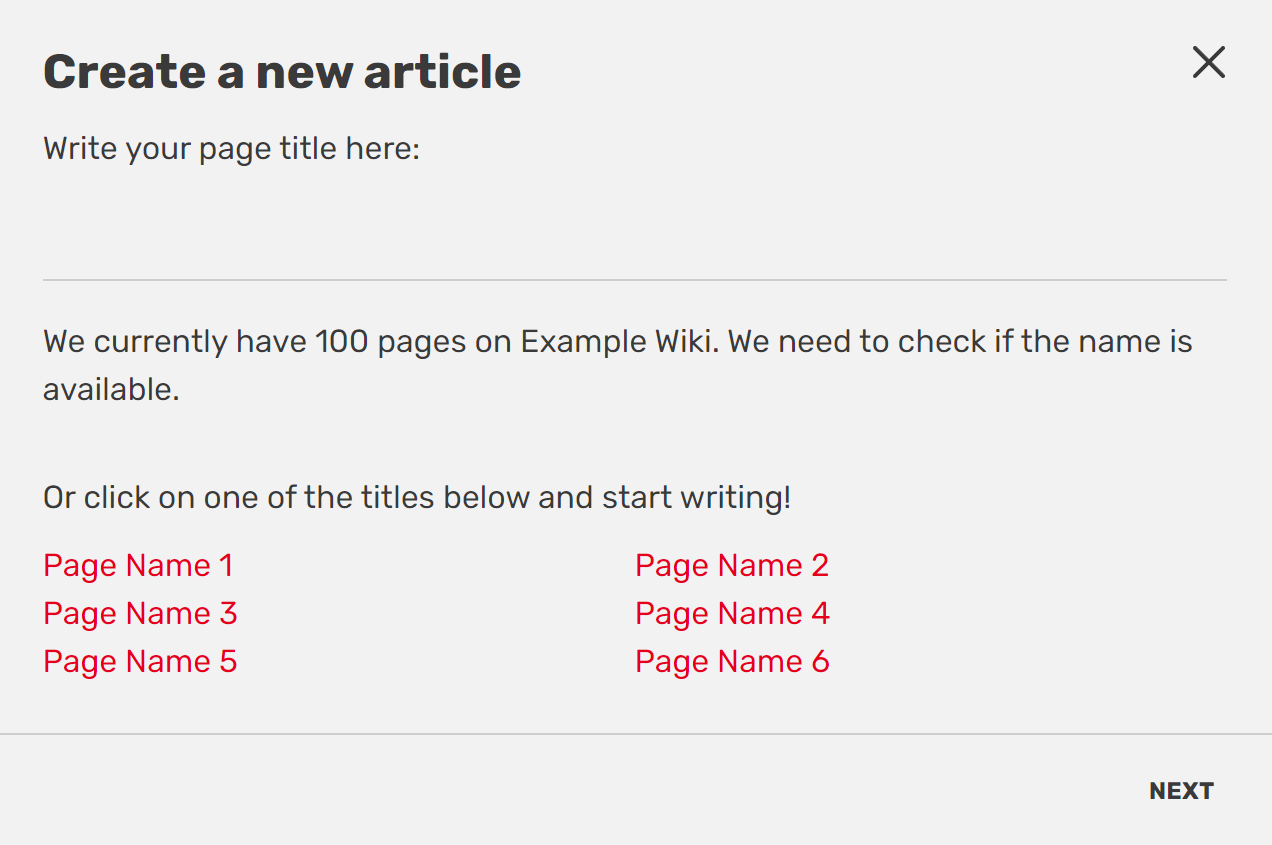
- The "Create a new article" box will open.
- You can choose the article name by typing it in the box. This name will become the last part of the page's URL. You will also be given suggestions to create pages that are linked to but do not yet exist, or pages that did exist but got deleted, known as "wanted pages".

Additional methods


In addition to the add button in the top right, there are a few more ways to create a new page:
- Clicking on a link leading to a nonexistent page.
- Use a Special:CreatePage link, which can be added to a community anywhere where wikitext works.[1]
- Using any inputboxes that exist on a community. A local community may have added inputboxes, possibly in the Project namespace, to create a page with a preloaded layout. Local communities should direct users to these inputboxes if preferred.
- Go to a page name that hasn't been created yet, i.e.,
https://wikiname.fandom.com/wiki/New_page_nameand click the CREATE or EDIT button on the upper right. - Typing a non-existing page title in Special:EditPage.
Notes
- ↑ This page works only on desktop. It also acts similarly to clicking the Add new page button near the top.
See also
- Learn how to add images
- Learn how to use user pages
- Learn how to format a page
Further help and feedback
- Browse and search other help pages at Help:Contents
- Check Fandom Community Central for sources of further help and support
- Check Contacting Fandom for how to report any errors or unclear steps in this article