
You can move a page to change its name and URL. There are several reasons why you might wish to move a page:
- The title has been misspelled.
- The title does not follow the community's naming conventions.
- The scope of the article has been reduced, extended, or otherwise changed.
- The page describes content that had a recent name change.
Step by step
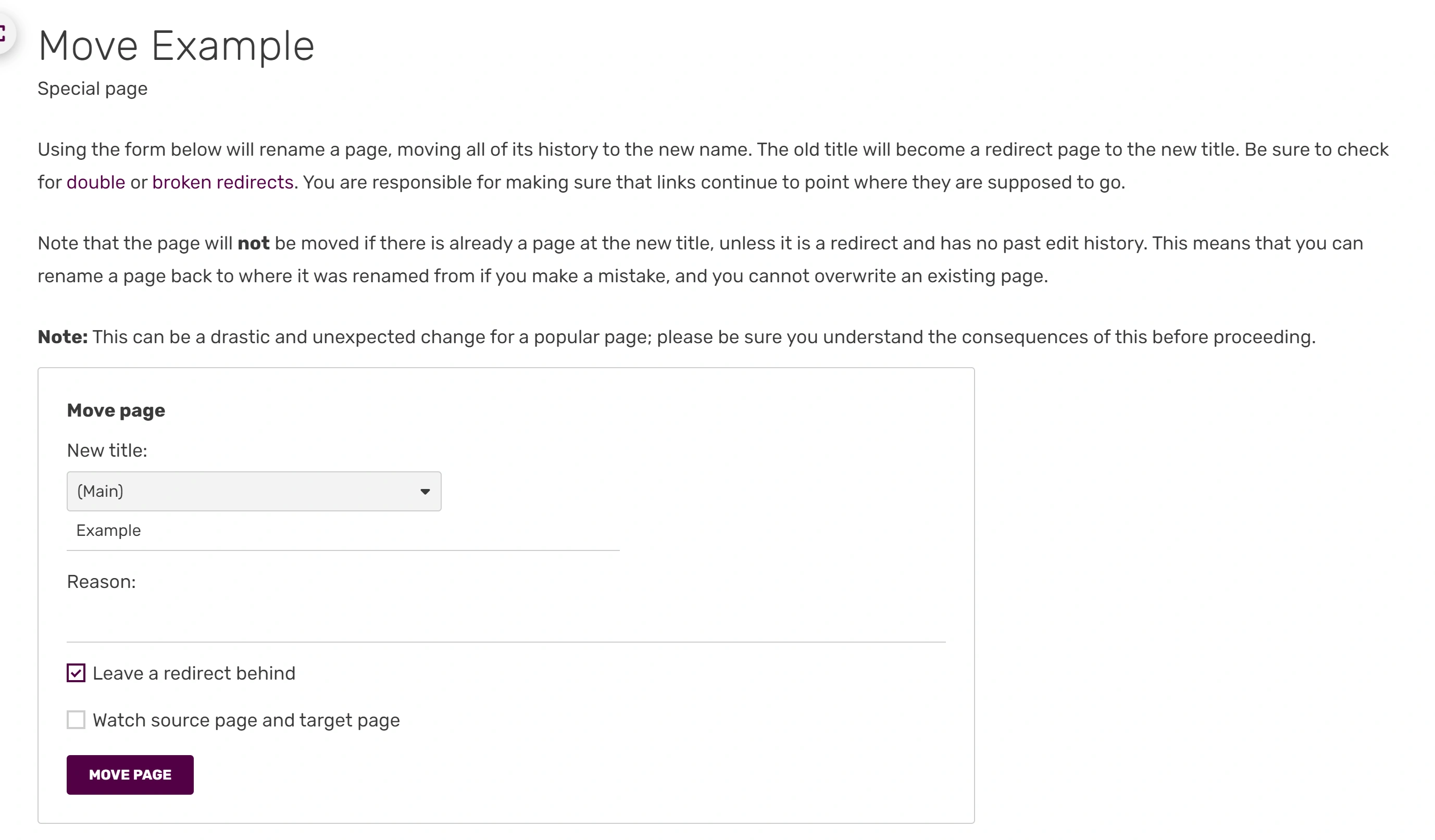

The page rename form


Page rename confirmation
- Log in to your user account and go to the page you want to rename.
- If you are viewing with the mobile mode, change to the Desktop mode by clicking “View full site” at the bottom of the page.
- Click the three vertical dots (⋮) to bring up the edit menu and select either 'Rename' or 'Move', whichever is shown.
- You will see a form where you can enter a new title for the page.
- Type the new name for the page and a reason for the rename in the appropriate boxes.
- Choose whether you also want to rename the page's talk page and any subpages (usually you do).
- Choose whether or not you wish to 'follow' the page.
- Click the 'Rename page' (or 'Move page') button and the page will be renamed to the new title.
- You will be redirected to the page at its new title and a white and green message bar at the top of the page will let you know that the rename has been successful.
Moving to an existing page name
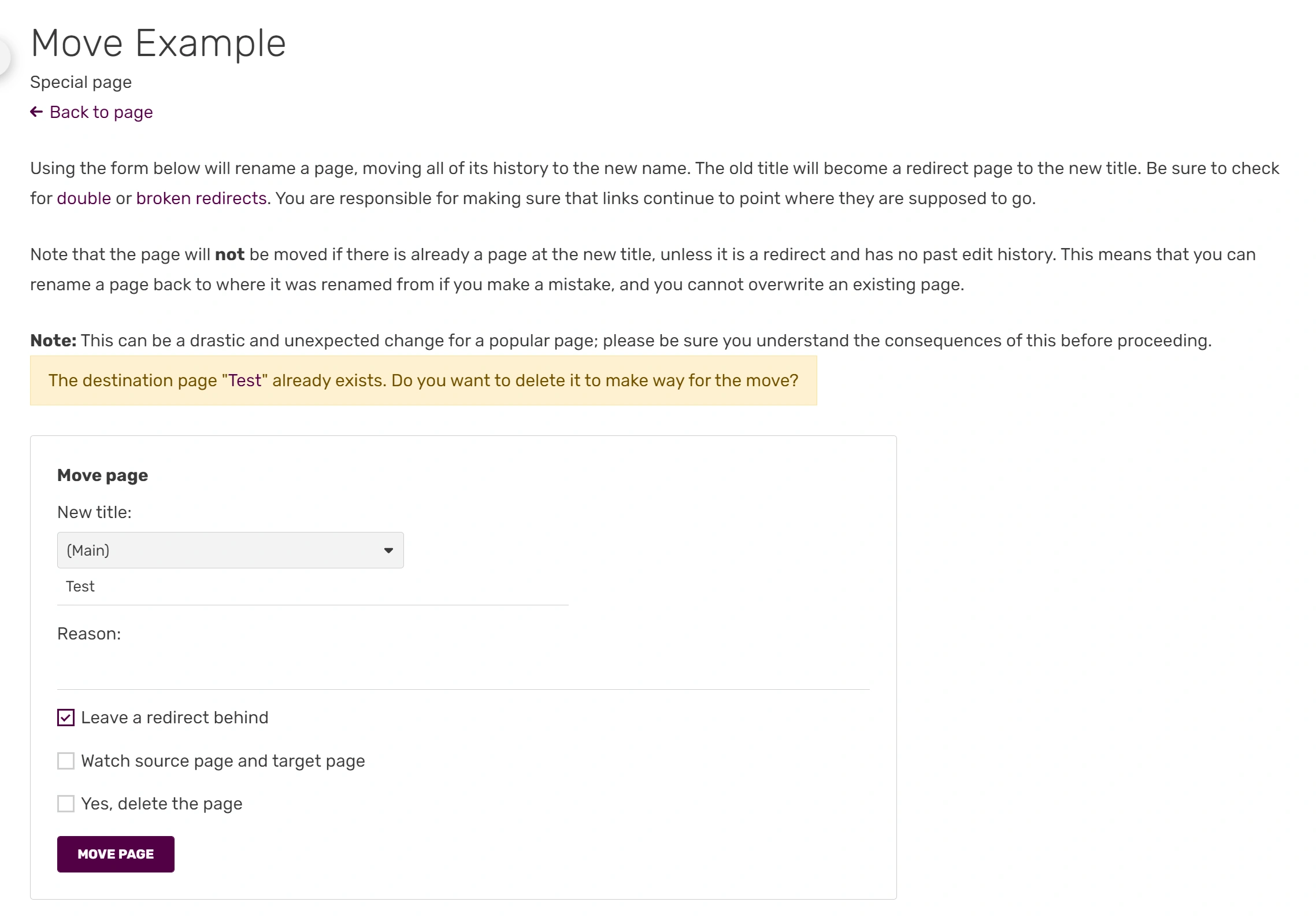

'Page already exists' warning
- If you wish to delete the existing page, you will need to contact an administrator or content moderator on your wiki.
- If you are an admin or content moderator, you can overwrite the existing page from the rename page.
- Go to this page as usual and click to make a move.
- You will see a notice that says the target page already exists.
- You can then select to overwrite that page.
- You will see a white and green notice at the top of the page confirming the rename and a redirect will be created from the old page to the new one.
- If you are an autoconfirmed user, you also have the additional option on page renames of disabling the automatic redirect, leaving no content at the original page.
FAQs
- Why should I move a page, instead of creating a new one?
- The rename page function keeps the page history of the article, before and after the rename, in one place, so that all contributors receive credit as required by the terms of the Creative Commons license used at Fandom. Cutting text out of one page and pasting it into a new one causes these acknowledgements to be lost.
- How do I undo a page rename?
- When a page is renamed, a revert link will appear beside it in the log entry allowing the change to be reverted.
- Is there a record of page renames?
- Page renames are recorded at Special:Log/move, and will also be displayed in the page histories, and at the bottom of the 'Rename page' for that page. Revert links are available from the log, but on some wikis, this is only for admins and content mods.
- My favorite editor offers no rename function.
- You can use Special:MovePage/target to rename the page target.
- It is possible to rename categories. However, doing that only renames the category itself but does not move any of the pages in that original category to the new category name. You would then have to edit each page in the category and manually change the category name to add the page to the new category name.
- Is it possible to access the renaming form without clicking the "Rename" button itself?
- Yes. Just simply type "M" in your keyboard and it will automatically access the renaming form.
See also
- Learn how to use special pages
- Learn how to delete pages
Further help and feedback
- Browse and search other help pages at Help:Contents
- Check Fandom Community Central for sources of further help and support
- Check Contacting Fandom for how to report any errors or unclear steps in this article