Closing an account is an option for users that permanently disables the account across the entire Fandom network (on all wikis). Due to how MediaWiki operates, Fandom will not delete your account from its database entirely, unless you use the "Right To Be Forgotten" feature, which deletes all your personal data from Fandom and anonymizes your username. Unfortunately, RTBF is only available to users in California and in the European Economic Area (EEA), excluding the United Kingdom.
Closing an account is always available through a dedicated special page. Once you choose to close your account, the following happens:
Your password will either be scrambled into random gibberish or completely deleted.
If you have set a "name" in your account profile, it will be deleted. Previously, it would be changed to Account disabled.
Your avatar will be replaced with one of the default avatars.
Your account will show as disabled on Special:Contributions and on other Special pages.
A notice will appear on your contributions and activity pages that reads "This account has been disabled globally by user choice, or by Fandom." The words "user choice" will link to this page.
What closing an account does not do:
Remove your username from any edit histories.
Remove your username from any logs, such as blocks.
Close the accounts associated with your main account.
Delete your account.
Remove blocks placed on your account.
Remove your user rights on any wikis you haven't founded.
Delete any pages you have created, including your userpage.
Remove edits you have made to any page.
Delete any posts, messages, or comments you have made.
Close the wiki(s) that you have founded.
Free up the username for reuse.
Alternatives to closing
If you feel you need to quit Fandom, you can simply stop using your account. You may want to consider leaving a message on your user and user talk pages/message wall before doing this to let other community members know you are leaving. You can also choose not to receive emails from Fandom by clearing your email in your preferences.
If you have bureaucrat rights on a wiki, it's advisable to promote another user to Bureaucrat before you leave Fandom or disable your account. To do so, check the wikis where you are currently a bureaucrat by going to Special:UserActivity, and then use Special:UserRights to promote another user as a bureaucrat.
You can also opt to change your account password to something difficult or impossible to remember. By removing the association with your email, this will effectively close your account.
You are also able to rename your account (only once). Please refer to changing your username for more details.
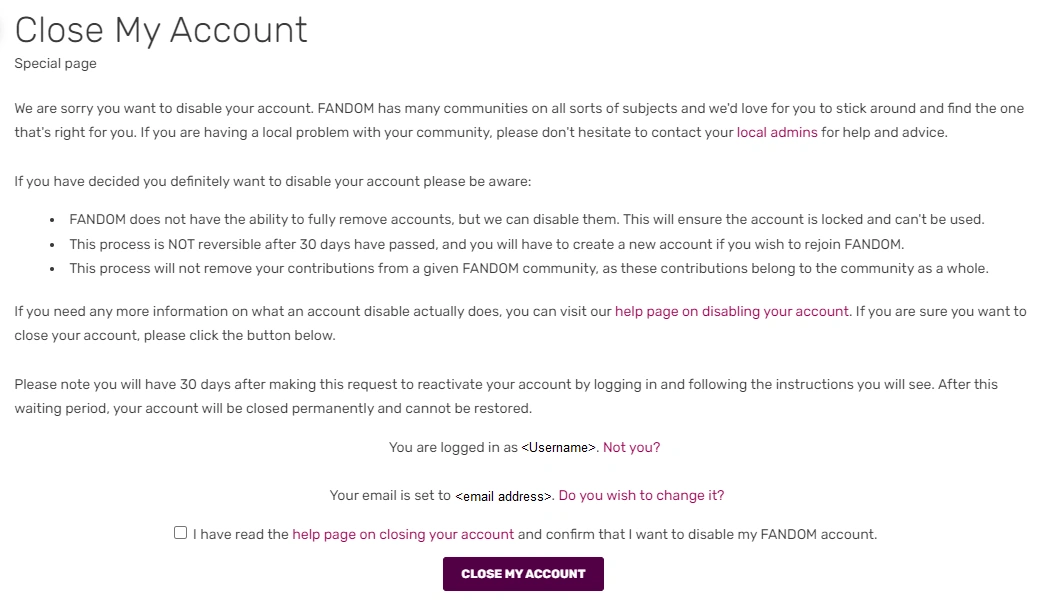
Read the information at the top of the disabling page to verify that you intend on permanently closing your account.
If you are sure you want to disable your account, click the option saying you have read this page and the option confirming you want to have your account disabled.
Click the Close my account button. You will be autologged out of your account.
At this point, you will have 30 days to log back into your account and reverse the process. After this deadline expires, your account will be permanently closed and you will no longer be able to reactivate it. Usernames associated with permanently disabled Fandom accounts are not vacated and cannot be reused.
Disabled Fandom account notice
Again, after 30 days, the change is permanent and profile contents are wiped automatically.
How to cancel a request
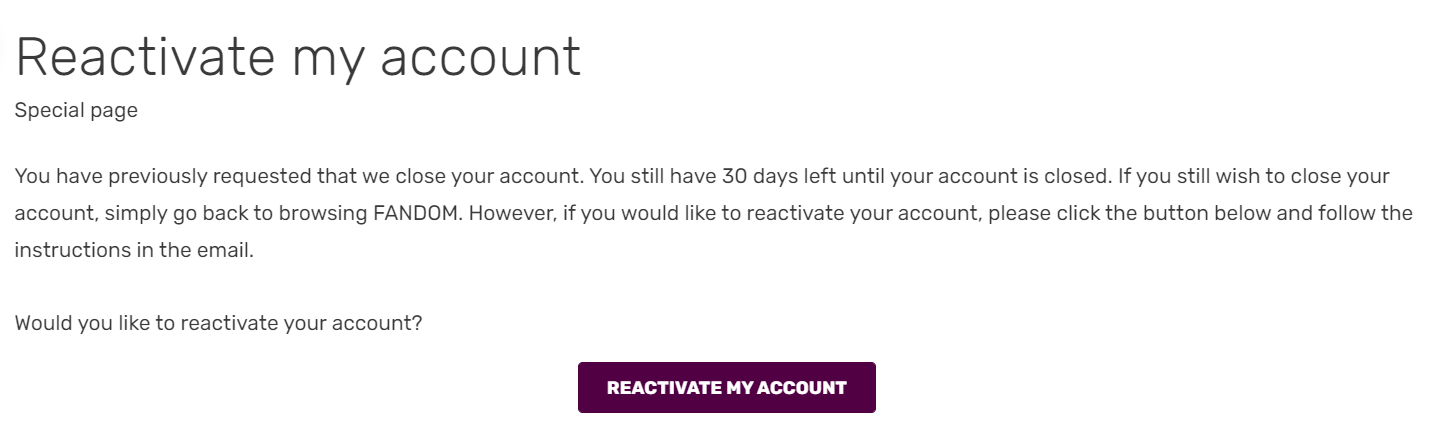
The Reactivate My Account form when signing back in during the 30-day grace period.
If you decide you want to reverse your decision:
Log in to your account within 30 days of disabling it, using your regular login credentials. Instead of "Close My Account", you'll be redirected to the "Reactivate My Account" page.
Click the Reactivate My Account button.
Upon logging in to reactivate your account
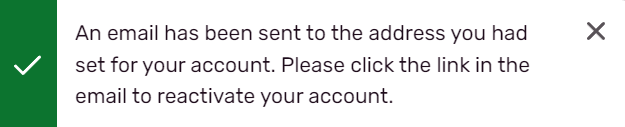
Once you click the button, a confirmation message will be sent to the email associated with your account.
Upon sent to your associated Fandom account Email
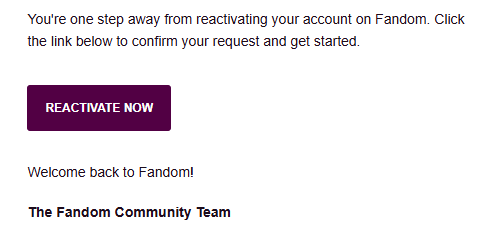
To finalize the reactivation process, simply click the link in the message.
How to tell if other users' accounts are disabled
If you go through other users' pages on a wiki, like user lists or the list of blocked users, you might come across their username. You may want to know whether or not their account is disabled. One way to find out if such is the case is by looking at their contributions and/or their activity. If a user's contributions and activity tabs show a red notice that says: "This account has been disabled globally by user choice, or by Fandom.", it means their account has been disabled.
Note that sometimes individual accounts appear to be disabled to visitors or newer users if they have no profile pictures. This is most likely because they are a newly registered user that hasn't set a profile picture yet.
If the user’s avatar is one of the default ones it may also means the user disabled their account, if they don’t have a name set in their account profile this may also means the user’s account is disabled.
After closure
If you wish to reopen your account after closing it, you can contact Fandom staff for assistance. However, once 3 months have gone by, Fandom will not be able to restore your account, effectively making it permanently closed. Within the 3-month period, you may need to choose a new password as it could be scrambled or deleted.
Note
Due to UCP changes, you will not be redirected to the old reactivation page anymore. Instead, if you are sure you want to reactivate see Close my account and it will give you an opposite redirect.