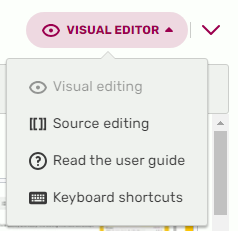

Accessing source editor in VisualEditor. "Source editing" will either load the 2010 wikitext editor, or the 2017 source editor, depending on your Special:Preferences.
The Source Editor is one of two editors that allows editing of pages via wikitext or some HTML.
How to use Source Editor
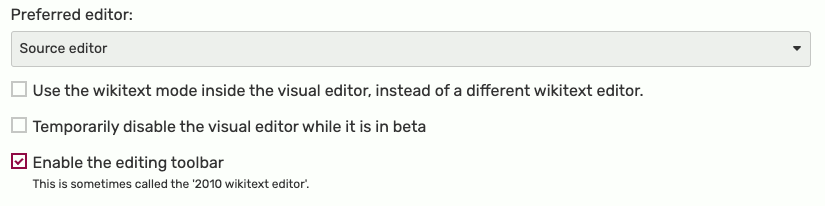

Preferred editor in your preferences.
To switch from VisualEditor to a source editor, use the toolbar menu and click on the menu at the top right where "Visual Editor" is.
If you wish to always edit in source mode, you may wish to switch your preferences to the source editor in Special:Preferences#mw-prefsection-editing. You can also set the default source editor you would like to use.
Versions
Currently, there are two versions of Source Editor available:
- VisualEditor - source mode, also known as the 2017 wikitext editor.
- Source editor, also known as the 2010 wikitext editor.
VisualEditor - source mode
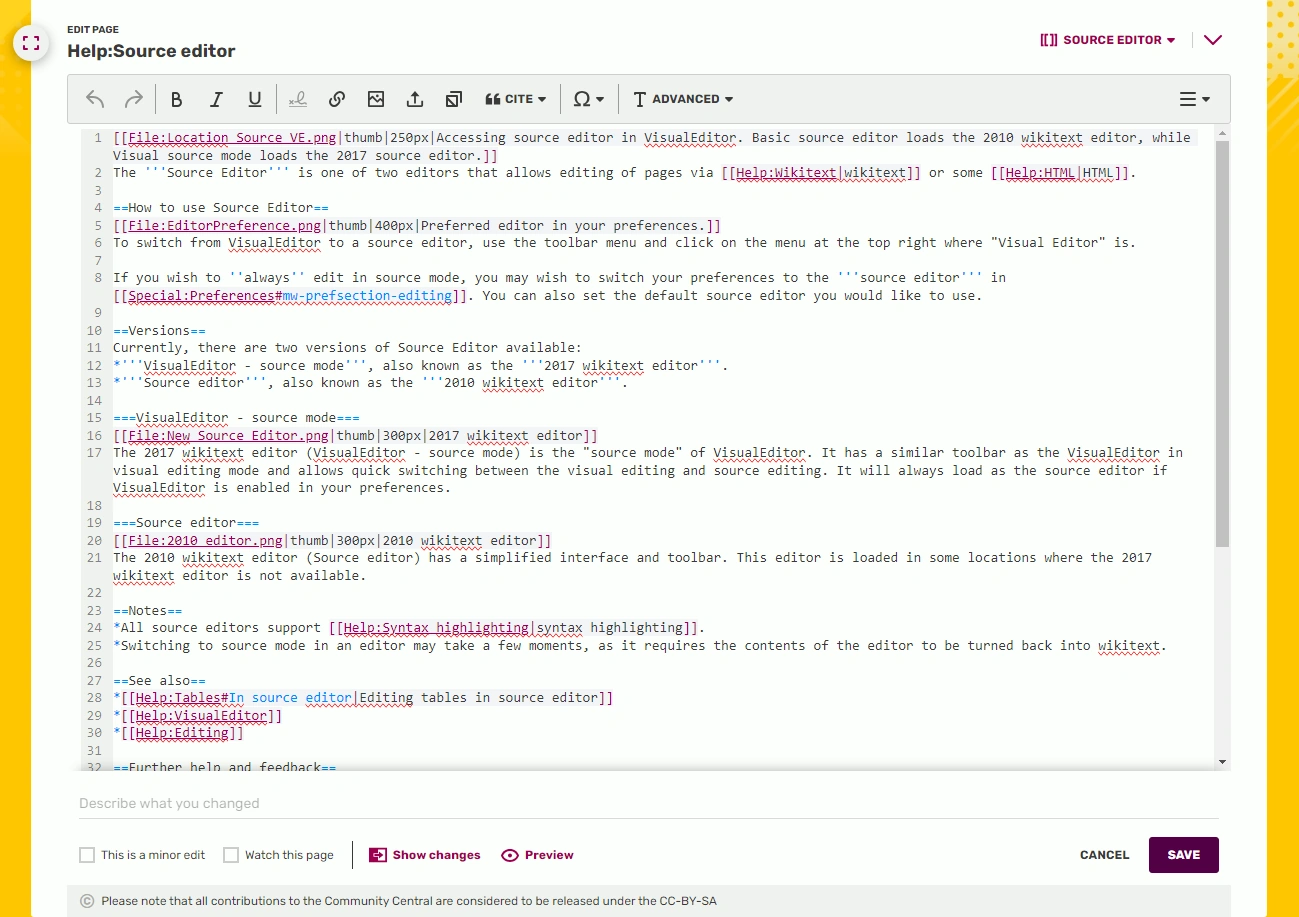

2017 wikitext editor
The 2017 wikitext editor (VisualEditor - source mode) is the "source mode" of VisualEditor. It has a similar toolbar as the VisualEditor in visual editing mode and allows quick switching between the visual editing and source editing. It will always load as the source editor if VisualEditor is enabled in your preferences.
Source editor
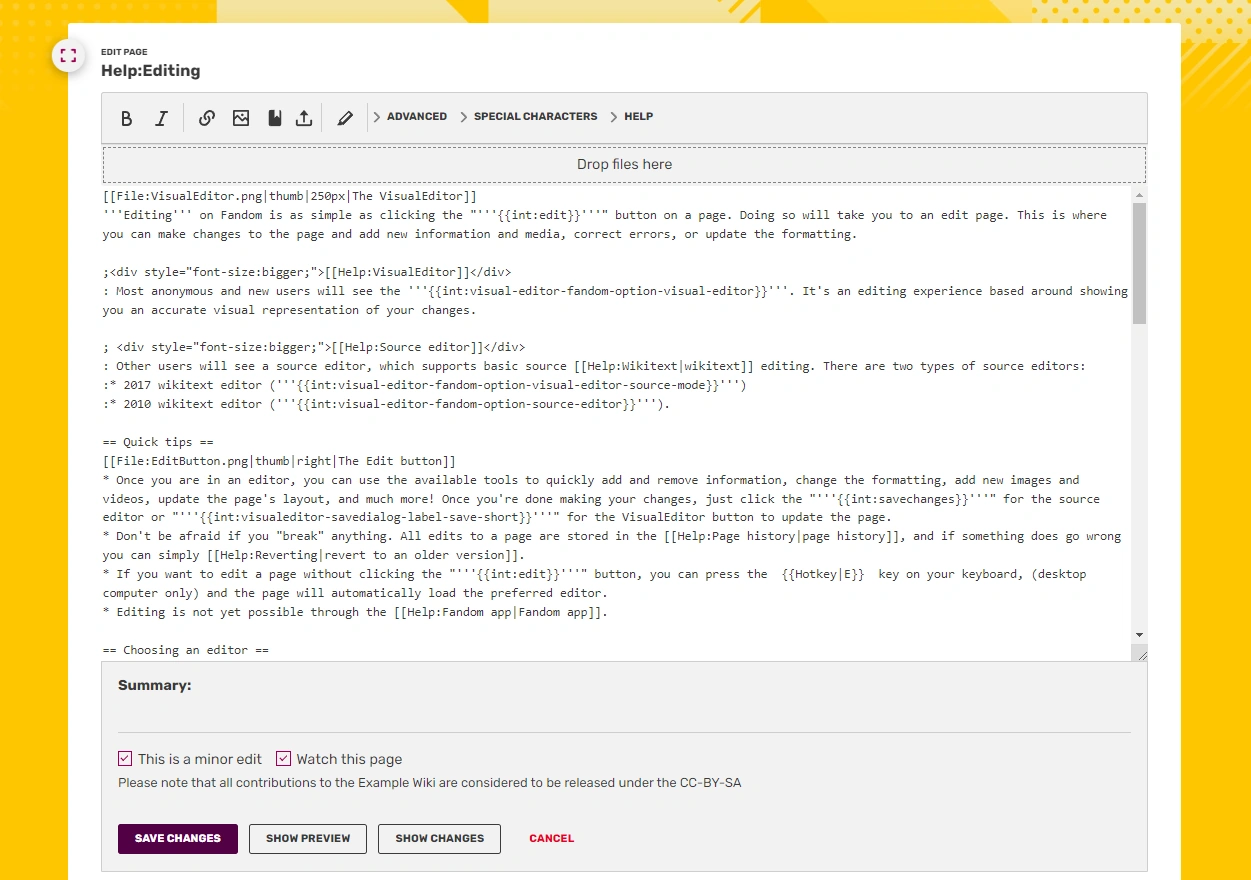

2010 wikitext editor
The 2010 wikitext editor (Source editor) has a simplified interface and toolbar. This editor is loaded in some locations where the 2017 wikitext editor is not available, such as undoing an edit. It is particularly useful in extremely long pages when VisualEditor cannot load the page.
Notes
- All source editors support syntax highlighting.
- Switching to source mode in an editor may take a few moments, as it requires the contents of the editor to be turned back into wikitext.
- It is possible to edit only a part of an article by clicking on the edit button next to a heading. Doing so will only bring up the section that heading spans in source editing.
- One part of the link, "§ion=#", can have its number changed for the user to edit a different heading. Putting the value to 0 will make it so that the user will only edit the top part of the article above all headings.
See also
Further help and feedback
- Browse and search other help pages at Help:Contents
- Check Fandom Community Central for sources of further help and support
- Check Contacting Fandom for how to report any errors or unclear steps in this article